
Getting started
How your work is saved
Liwan Studio saves your designs by itself while you work, so there is no Save button to remember.
There is no Save button for your designs. While a design is open, Liwan Studio saves your changes every 20 seconds, again when you switch to another app, and again when you leave the editor.
How to save a design and find it again
Open a design and work on it as usual: type, move things, change colours. You don't have to do anything to save it.
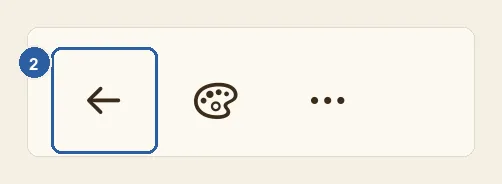
When you are done, tap Back, the arrow at the start of the top bar (top left; top right when the app is in Arabic). Liwan Studio saves the design as the editor closes, and you are back on the screen you opened it from, such as Home.
On Home, the design you just changed comes first, under Pick up where you left off, with the time you last changed it — for example, 2 minutes ago. Tap Continue Editing to open it again. Your other designs follow under Recent designs, newest first. Tap See all to list every design.
Tips
- The name in the middle of the top bar is your design's name; it does not tell you whether the design is saved. A new blank design is called Untitled until you tap the name and give it another.
- The button with an arrow pointing down into a box is Save as template. It makes a reusable template from your design; you don't need it to save your work. See My Templates.
- Only real changes count. If you open a design and leave without changing anything, or rename it from Home, it keeps its time and its place on Home.
- A new blank design that you leave without changing anything is not kept, so it does not clutter Home.
- Starting another design with File ▸ New Design (⌘N), or opening a file while you edit, saves the design you were working on first.
- When you edit one of your own templates (in My Templates, tap the template, then Edit), your changes are saved into that template, not into a new design.
- Your designs are kept in Liwan Studio on this iPad or Mac and do not move between your devices by themselves. To keep a backup, or to carry a design to another device, export it as a Liwan Studio Document — see Liwan Studio documents (.ldf).
- Deleting a design takes effect at once, and there is no trash to bring it back from. To keep the current version before a big change, duplicate the design on Home first — see Rename, duplicate and delete designs.