
Getting started
Rename, duplicate and delete designs
Give your designs clear names, copy last week's offer to start this week's, and remove the designs you no longer need.
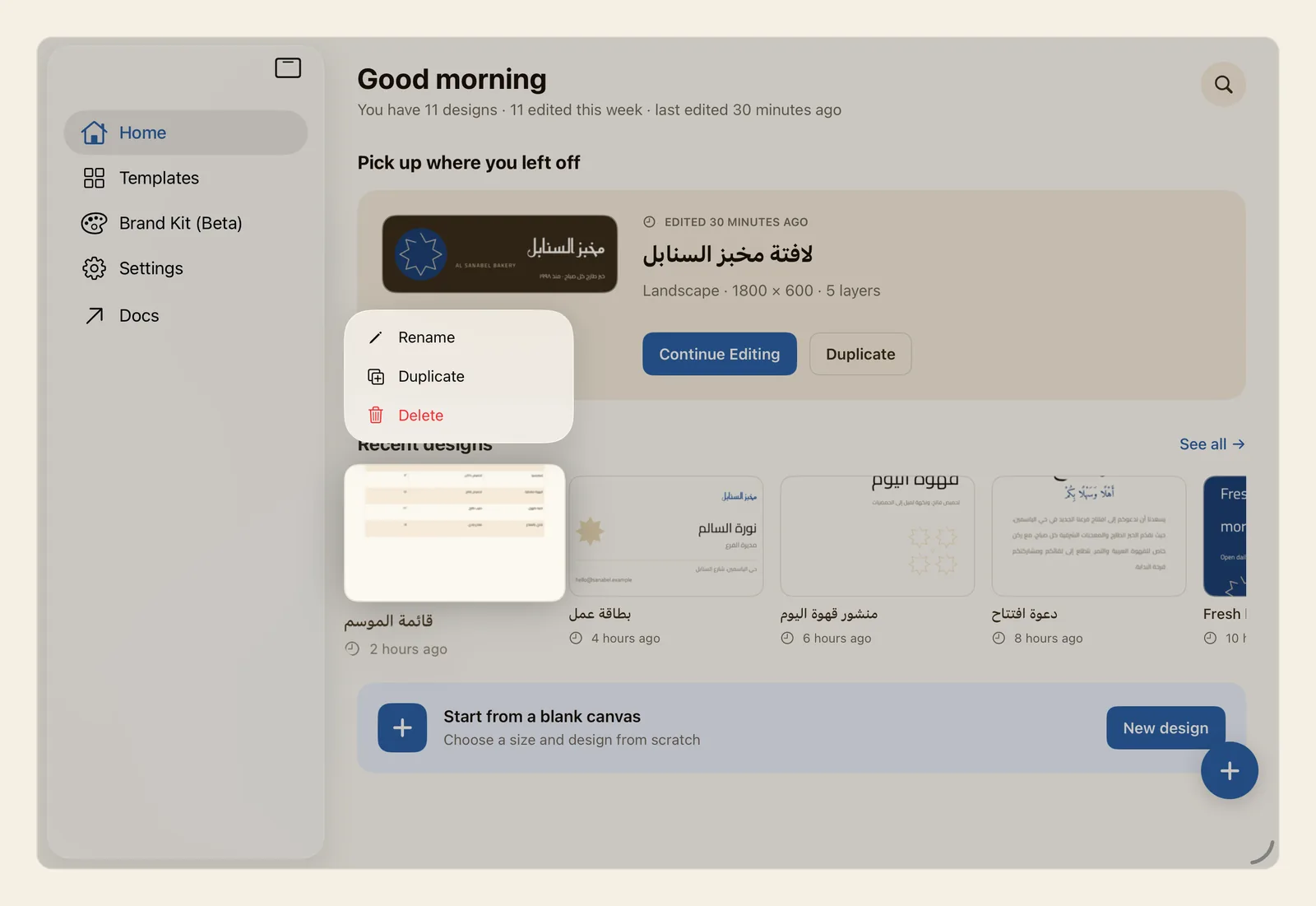
How to rename, duplicate or delete a design
On Home, touch and hold a design under Recent designs. On a Mac, right-click it. A menu opens with Rename, Duplicate and Delete, as in the picture at the top of this page.
The same menu opens on All designs, the page that lists every design you have saved. Tap See all to get there.
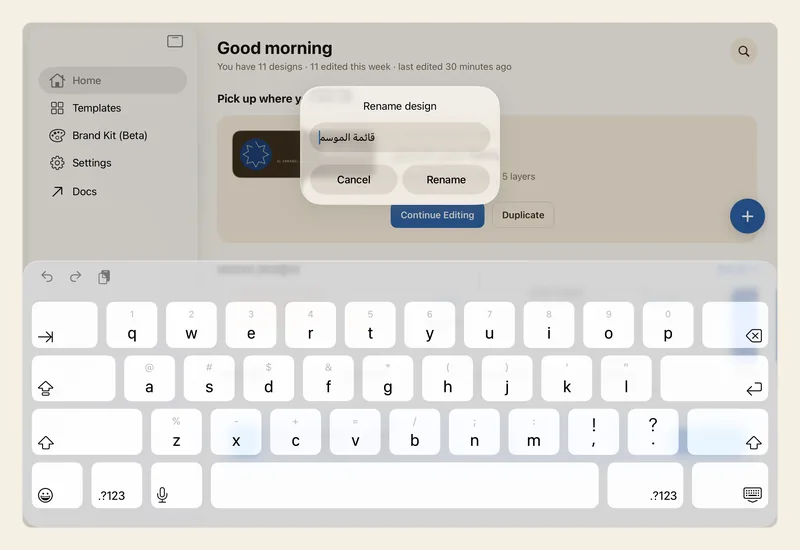
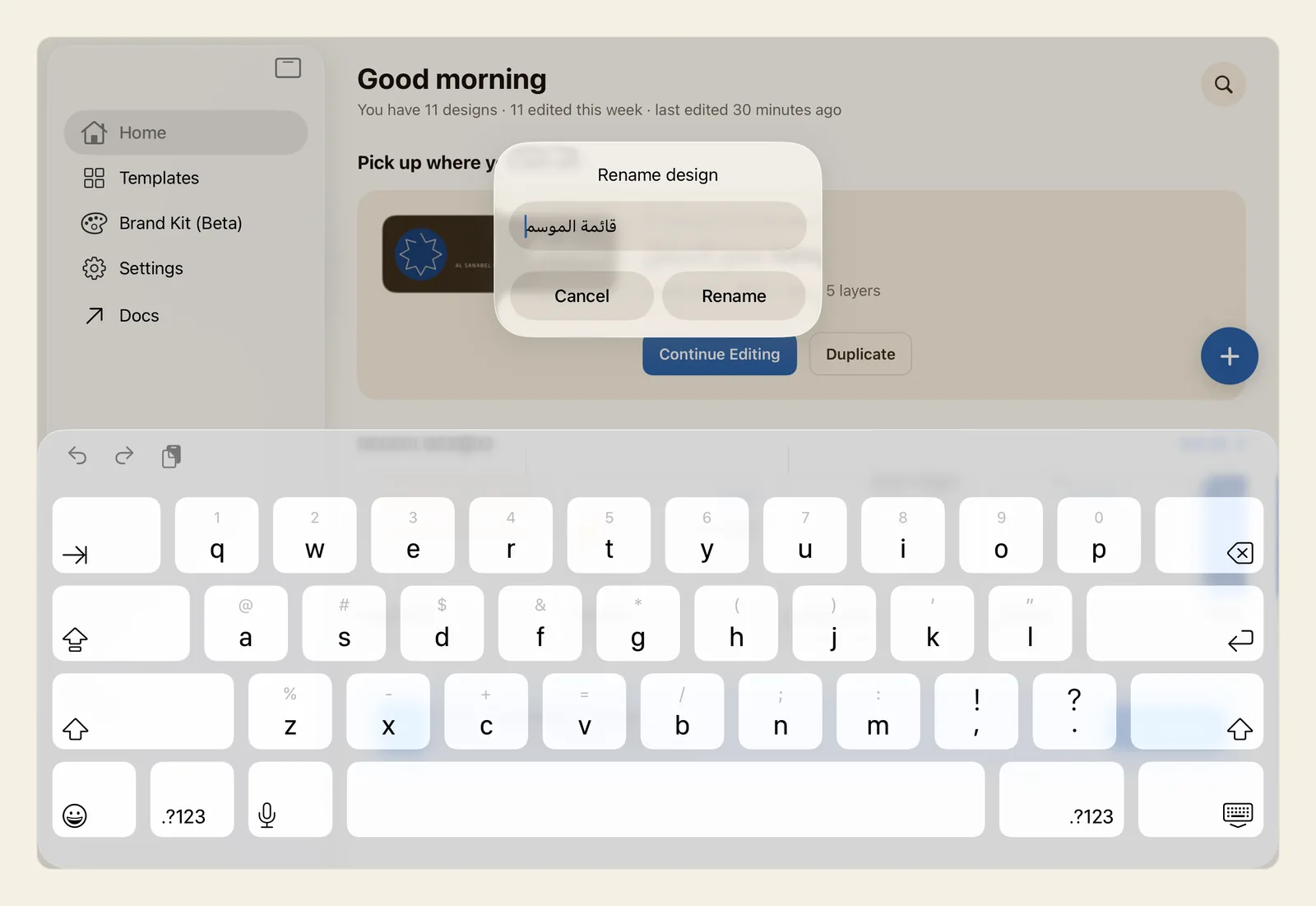
Tap Rename. The Rename design box opens with the current name already in it, ready to edit. Change the name or type a new one, then tap Rename. Tap Cancel to keep the old name.
Or tap Duplicate to make a copy. The copy appears straight away, with Copy added to the end of its name: "Ramadan menu" becomes "Ramadan menu Copy". As your newest design, it moves to the big card under Pick up where you left off. Tap Continue Editing to open it and make your changes. The original stays as it was.
Or tap Delete, the red item at the bottom of the menu. Liwan Studio asks Delete design? and names the design that will be permanently deleted. Tap Delete to confirm, or Cancel to keep it. The design disappears from Home at once.
Tips
- Your latest design, on the big card under Pick up where you left off, has no menu. To copy it, tap Duplicate on the card. To rename or delete it, tap See all, or the magnifying-glass button at the top of Home, and touch and hold it on All designs.
- You can also rename the design you are working on without leaving the editor: tap its name in the middle of the top bar, or choose Rename design from the … button (Document). The same Rename design box opens.
- On All designs you can search for a design by its name before you rename or delete it. See Home.
- Renaming does not count as a change to the design, so it keeps its place on Home.
- The name is what search looks for, and it is the file name Liwan Studio suggests when you export the design. Don't leave it empty: Liwan Studio accepts an empty name, but the design is then hard to find.
- A copy is a separate design. All its pages, text styles and linked text boxes are copied, and changing one design never changes the other. Rename the copy straight away so you can tell the two apart.
- Duplicate does not ask first. If you made a copy by mistake, delete it.
- You can also delete the design you have open: tap the three-dot button (Document) in the editor's top bar, tap Delete at the bottom of the list, then tap Delete again under Delete this design?. The editor closes and the design is removed. This Delete is not there while you edit one of your templates from My Templates, or a .ldf file you opened with Open Liwan Studio Document… in the File menu.
- On a Mac, the menu bar has no Rename or Duplicate command for designs: right-click a design on Home or on All designs instead. While you edit a design, its name is the window's title.
- To copy an object inside a design rather than the whole design, see Copy, paste and duplicate.